
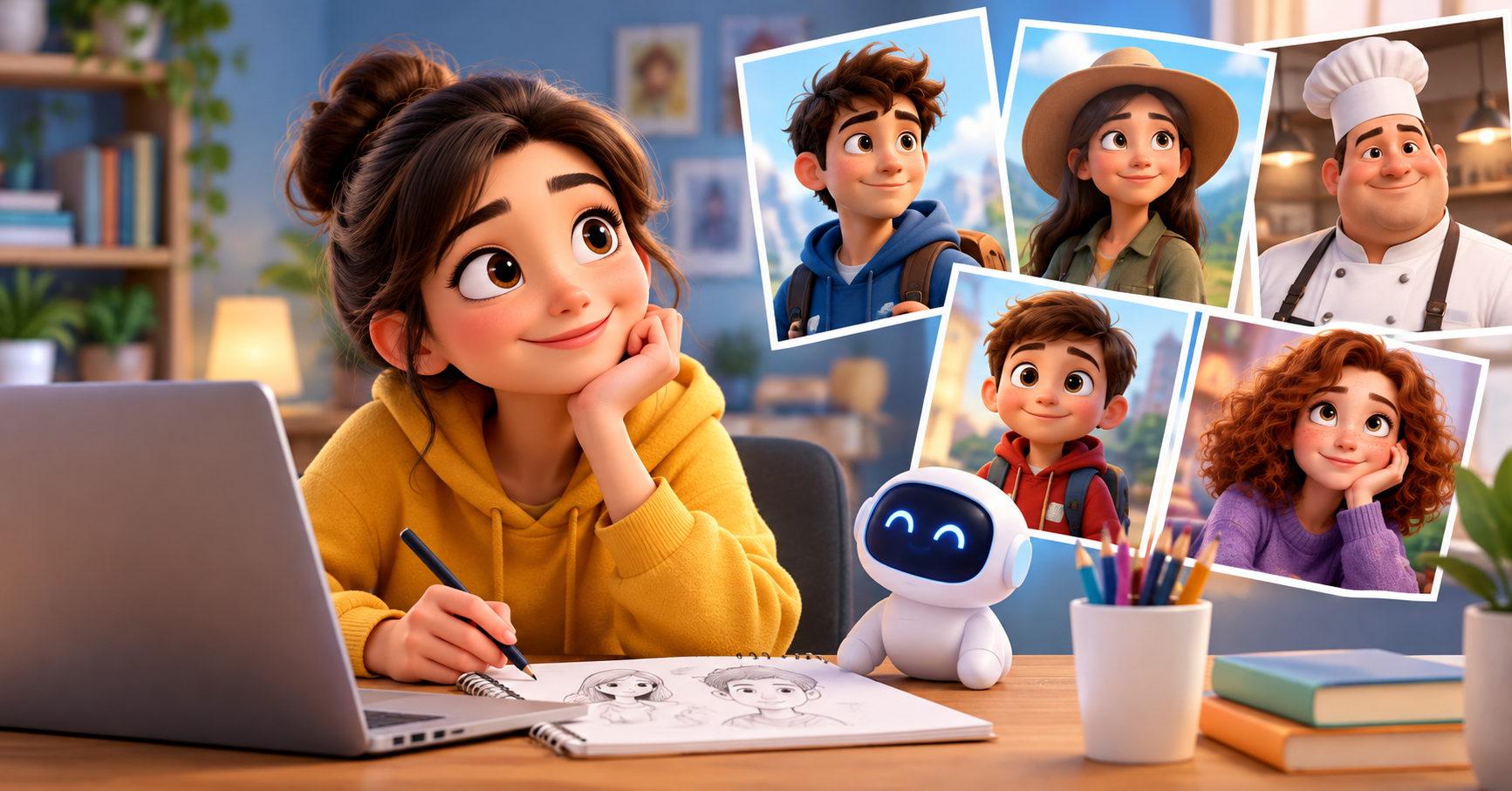

If you’ve spent any time experimenting with AI image generators, you’ve probably noticed how popular “Pixar-style” character prompts have become. That soft, rounded, big-eyed 3D animation look has a universal appeal — it feels warm, expressive, and instantly recognizable. But there’s an important line between capturing an aesthetic and copying a specific, copyrighted design. This guide walks you through how to write prompts that channel the charm of modern 3D animated films while keeping your creations original and legally safe.
Why This Distinction Matters
Animation studios don’t own a general art style — nobody can copyright “big eyes” or “rounded proportions” as a concept. What’s protected is the specific expression of that style: a particular character’s face, outfit, color palette, and distinguishing features. This is why prompting an AI to generate “a fish with big eyes in an underwater world” is fine, while asking for “a clownfish named after a well-known animated movie” edges into risky territory.
Understanding this line lets you build prompts that are inspired by an artistic tradition without recreating someone else’s intellectual property. It also produces more original, interesting results, since you’re forced to invent your own characters rather than relying on a franchise’s existing design work.
Start With the Style, Not the Source
Instead of naming a studio or franchise, describe the technical and artistic qualities that define the look you want. These include:
- Rounded, simplified geometry — soft edges instead of sharp, realistic detail
- Exaggerated proportions — larger heads, expressive eyes, smaller limbs relative to the torso
- Subsurface scattering and soft lighting — the glowing, slightly translucent skin look common in high-end 3D renders
- Saturated but harmonious color palettes — warm, inviting tones rather than photorealistic color grading
- Expressive, exaggerated facial animation cues — even in a still image, characters can look mid-emotion, caught in a smile or gasp
A prompt built from these elements might read: “A friendly 3D-animated raccoon character with oversized round eyes, soft rounded fur texture, warm subsurface-scattered skin tones, wearing a patchwork scarf, standing in a sunlit forest clearing, cinematic three-point lighting, family-animation art style.”
Notice that nothing here references a specific movie, studio, or copyrighted character — yet the aesthetic is unmistakably in that “high-end 3D animated film” territory.
Build Characters From Scratch
One of the best ways to avoid accidental copying is to build your character concept from a checklist of original traits, rather than starting from “make this look like [existing character].” Try assembling your character from independent building blocks:
- Species or archetype (a fox, a robot, a young inventor, an elderly baker)
- A defining personality trait expressed visually (nervous energy, quiet confidence, boundless curiosity)
- A unique costume or prop that no existing IP owns (a hand-stitched vest, a mechanical backpack, mismatched socks)
- A distinct color story (teal and rust, lavender and gold)
- An environment that contextualizes them (a cluttered treehouse workshop, a floating night market)
When you combine five original choices like this, the odds of accidentally reproducing a copyrighted design drop dramatically, and you end up with something genuinely your own.
Useful Prompt Structure
A reliable template for this style looks like this:
“[Character description with species/role, personality cue, and unique costume detail], 3D animated character design, [color palette], [lighting style], [render quality terms], [background/setting], family-friendly animation style, high detail, octane render.”
Example: “A shy teenage inventor girl with curly orange hair, round glasses, and a tool belt covered in gadgets, 3D animated character design, pastel blue and copper color palette, soft studio lighting, high detail render, cluttered garage workshop background, family-friendly animation style.”
This gives the AI enough stylistic direction to produce a polished, animation-quality image, while keeping every identifying detail original to your imagination.
Words and Phrases to Avoid
To stay safely on the “inspired by” side of the line:
- Don’t name specific studios, franchises, or movie titles in your prompt
- Don’t describe a character using identifying details from a known IP (a specific hairstyle-and-outfit combo tied to a famous character, a signature catchphrase, a recognizable sidekick pairing)
- Avoid asking the tool to “make it look exactly like” any named existing character
- Be cautious with descriptions that are almost synonymous with a trademarked mascot (a red-and-white polka-dot mushroom cap, a very specific superhero color combo)
Iterating Toward Originality
If an early output feels too close to something you recognize, treat it as a signal to change more variables — proportions, color scheme, costume, or setting — rather than just adjusting lighting or camera angle. Small tweaks rarely fix a resemblance issue; structural changes to the character’s defining features do.
It also helps to sketch a one-paragraph “character bio” before prompting at all: who this character is, what they want, and what makes them visually unique. Prompts written from a bio tend to produce more distinctive results than prompts written by trying to reverse-engineer a style from memory of existing films.
The Takeaway
Capturing that beloved, big-eyed, softly-lit 3D animation charm doesn’t require borrowing anyone else’s creative property. By focusing on technical style cues — geometry, lighting, color, and rendering technique — and building characters from original combinations of traits, you can create expressive, professional-looking 3D character art that’s entirely your own. The result isn’t just legally safer; it’s often more creatively satisfying, since you’re inventing a character rather than echoing one that already exists.
Leave a Reply